No single tool covers every stage of a content workflow equally well, so the best end-to-end solution is usually one coordination platform (Asana, Monday.com, ClickUp, or Notion) for planning and approvals, paired with an AI content platform such as Sight AI for research, drafting, optimization, CMS publishing, and indexing. If you want one system, choose ClickUp when coordinating people is your main problem, or Sight AI when SEO-driven production volume is the bottleneck. The comparison below breaks down 8 tools by workflow layer, free tier, automation, and pricing.
Modern content workflows involve many touchpoints: briefs, drafting, collaborative editing, stakeholder reviews, SEO optimization, visual assets, and publication. Each stage needs clean handoffs, yet many teams still rely on disconnected tools and manual processes that create bottlenecks. Below are eight platforms that help teams create, collaborate, and publish at scale, followed by specialized tools worth pairing with them and a framework for choosing your stack.
What End-to-End Content Workflow Management Requires
A complete content workflow covers five layers: planning (calendars, briefs, intake requests), production (drafting, editing, design), governance (approvals, brand voice, compliance), publishing (CMS delivery, indexing, distribution), and measurement (performance and visibility tracking). Few single tools cover every layer equally well. Project management platforms excel at planning and governance, AI content platforms collapse production and publishing, and integration tools stitch the gaps together. Evaluating tools against these layers—rather than against feature lists—makes it clear which ones you actually need.
Quick Comparison
| Tool | Best for | Free tier | Built-in automation |
|---|---|---|---|
| Sight AI | AI content creation, SEO/GEO, auto-publishing | Tiered paid plans | Autopilot generation, CMS publishing, IndexNow |
| CoSchedule | Multi-channel marketing calendars | Free calendar | Social scheduling, evergreen resharing |
| Notion | Custom workflows plus documentation | Yes | AI agents; external automation via Make.com or Zapier |
| Asana | Dependencies and multi-stakeholder approvals | Up to 15 members | Rules, project templates |
| Monday.com | Visual status tracking | Up to 2 users | Automation recipes, intake forms |
| Trello | Simple Kanban pipelines | Yes | Butler no-code rules |
| Airtable | Relational content libraries | Yes (1,200 records/base) | Record-based automations, scripting |
| ClickUp | Consolidating tool sprawl | Yes (unlimited tasks and members) | AI agents for intake, assignment, PM |
1. Sight AI
Best for: AI-powered content creation with automated SEO optimization and instant publishing
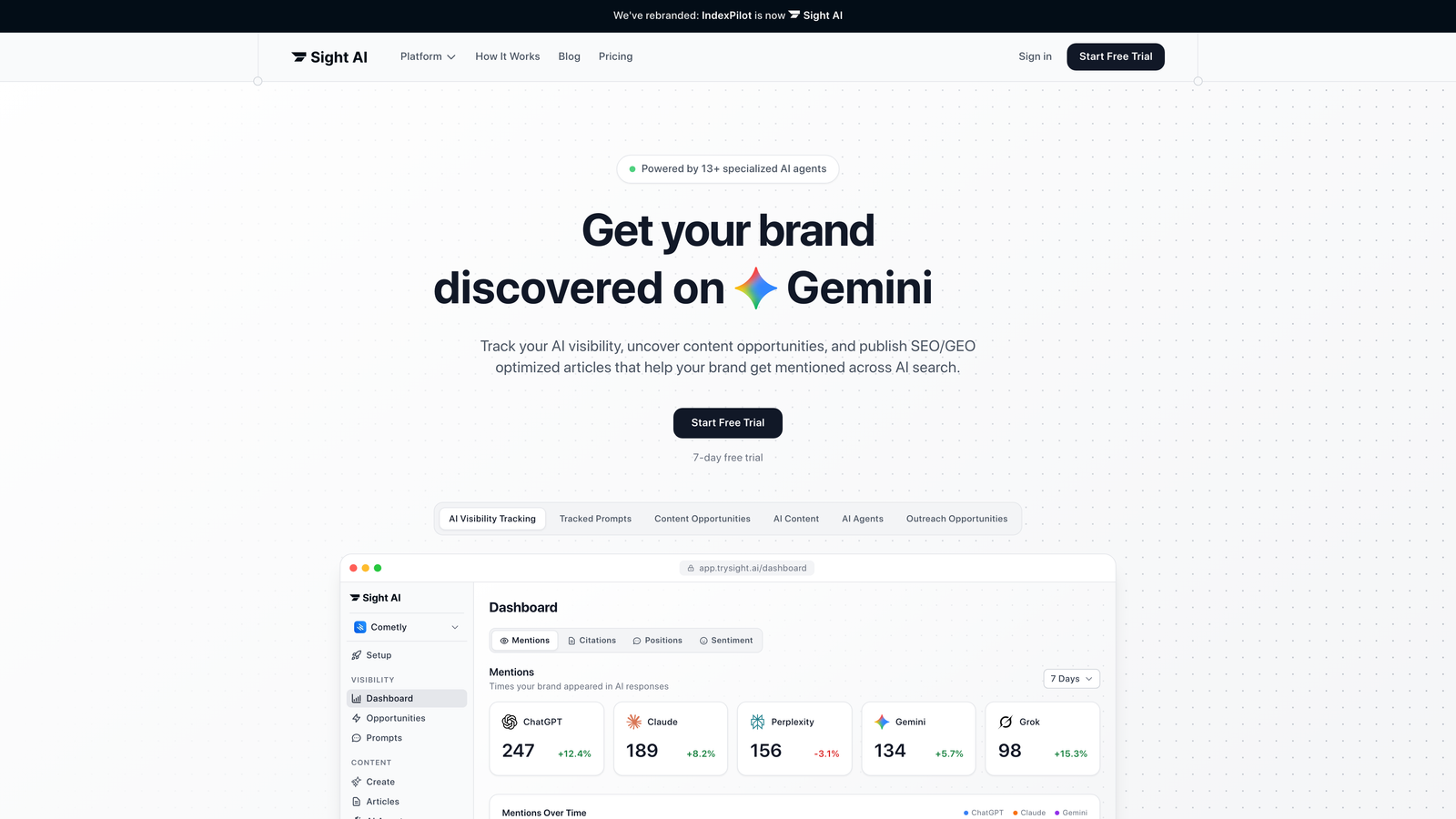
Sight AI transforms content workflows by combining AI-powered article generation with automated publishing and SEO optimization in a single platform.
Where This Tool Shines
Sight AI addresses the complete content lifecycle from ideation to publication. The platform uses 13+ specialized AI agents working together to create long-form, SEO-optimized articles that require minimal human intervention. Unlike tools that simply generate drafts, Sight AI handles keyword research, content structuring, internal linking, and even automatic publishing to your CMS.
What sets this platform apart is its focus on both traditional SEO and GEO (Generative Engine Optimization). The system creates content designed to rank in search engines while also getting recommended by AI models like ChatGPT, Claude, and Perplexity. This dual optimization approach prepares your content for how people actually find information today. Because visibility tracking and content generation live in the same platform, gaps in how AI models describe your brand can be turned directly into briefs and published articles.
Key Features & Capabilities
AI Content Generation System: Uses multiple AI agents—purpose-built for listicles, how-to guides, explainers, and comparisons—to research, write, and optimize articles with your brand voice and style preferences.
Autopilot Mode: Automatically generates and publishes content on a schedule you define, maintaining consistent output without daily management.
AI Visibility Tracking: Monitors how AI models like ChatGPT and Claude mention your brand, with sentiment analysis and prompt tracking, providing insights into your AI search presence.
Instant Indexing: Submits content via IndexNow and maintains updated sitemaps for faster search engine discovery and ranking.
CMS Integration: Publishes directly to your content management system, eliminating manual copy-paste workflows.
Best For / Ideal Users
Sight AI works best for marketing teams and agencies that need to scale content production without expanding their workforce. The platform is particularly valuable for businesses focused on organic traffic growth who want to maintain publishing consistency, and for lean teams without dedicated SEO expertise.
Companies tracking their presence in AI search results will find the AI visibility monitoring especially useful, as it reveals how AI models talk about their brand and identifies content opportunities.
Pricing
Sight AI offers tiered pricing based on content volume and features, with plans designed for solo marketers, growing teams, and agencies managing multiple clients.
2. CoSchedule
Best for: Marketing teams managing complex multi-channel campaigns with social media scheduling needs
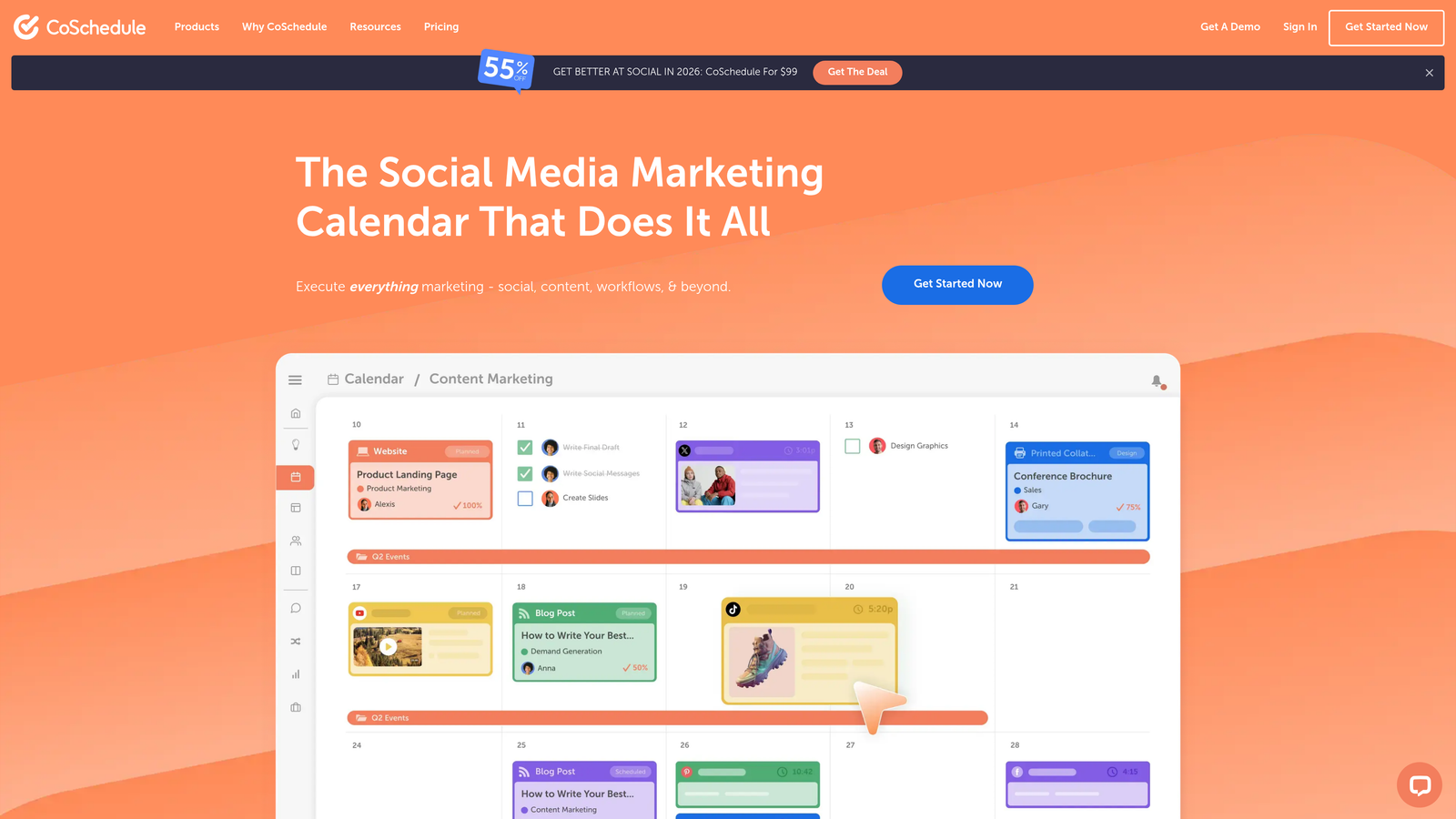
CoSchedule transforms marketing chaos into visual clarity through its comprehensive calendar platform that unifies social media, content planning, and team coordination in one centralized workspace.
Where This Tool Shines
CoSchedule excels at giving marketing teams a bird's-eye view of their entire content ecosystem. The platform's visual calendar interface eliminates the confusion that comes from managing content across spreadsheets, email threads, and disconnected tools.
The real power emerges when teams coordinate multi-channel campaigns. You can see how blog posts, social media updates, email campaigns, and other marketing activities align on a single timeline. This visibility helps teams identify content gaps, prevent publishing conflicts, and ensure consistent messaging across all channels. Because content is tied to campaigns rather than treated as isolated pieces, every post can be traced back to a product launch, event, or seasonal initiative.
Key Features & Capabilities
Social Calendar: Create, schedule, and publish social media content with AI-powered assistance that helps multiply your output without expanding your team.
Content Calendar: Visualize all tasks, projects, and campaigns in one unified marketing calendar that keeps everyone aligned on priorities and deadlines.
Social Inbox: Manage all social media interactions—DMs, comments, and replies—from a single centralized location instead of jumping between platforms.
Hire Mia (Collaborative AI-Editor): Work alongside AI assistance to accelerate content creation while maintaining your brand voice and quality standards.
ReQueue and Task Templates: Automatically reshare evergreen content to fill gaps in your social schedule, and standardize recurring content types with reusable task templates.
Agency Calendar: Specialized features for agencies managing multiple client calendars simultaneously, with clear separation and organization between different accounts.
Best For / Ideal Users
CoSchedule works exceptionally well for marketing teams and agencies that juggle multiple content channels and need strong coordination capabilities. It's particularly valuable for teams that publish frequently across social media platforms and need to maintain consistent brand presence.
Content marketers who manage editorial calendars alongside social media schedules will appreciate how CoSchedule brings these traditionally separate workflows together. The platform reduces the mental overhead of tracking what's published where and when.
Pricing
CoSchedule offers a free calendar option that provides basic functionality for small teams getting started. Paid plans unlock advanced features including social media automation, team collaboration tools, and the AI-powered Hire Mia editor, with pricing scaled to accommodate different team sizes and feature requirements.
3. Notion
Best for: Teams seeking maximum flexibility to design custom content workflows that evolve with their needs
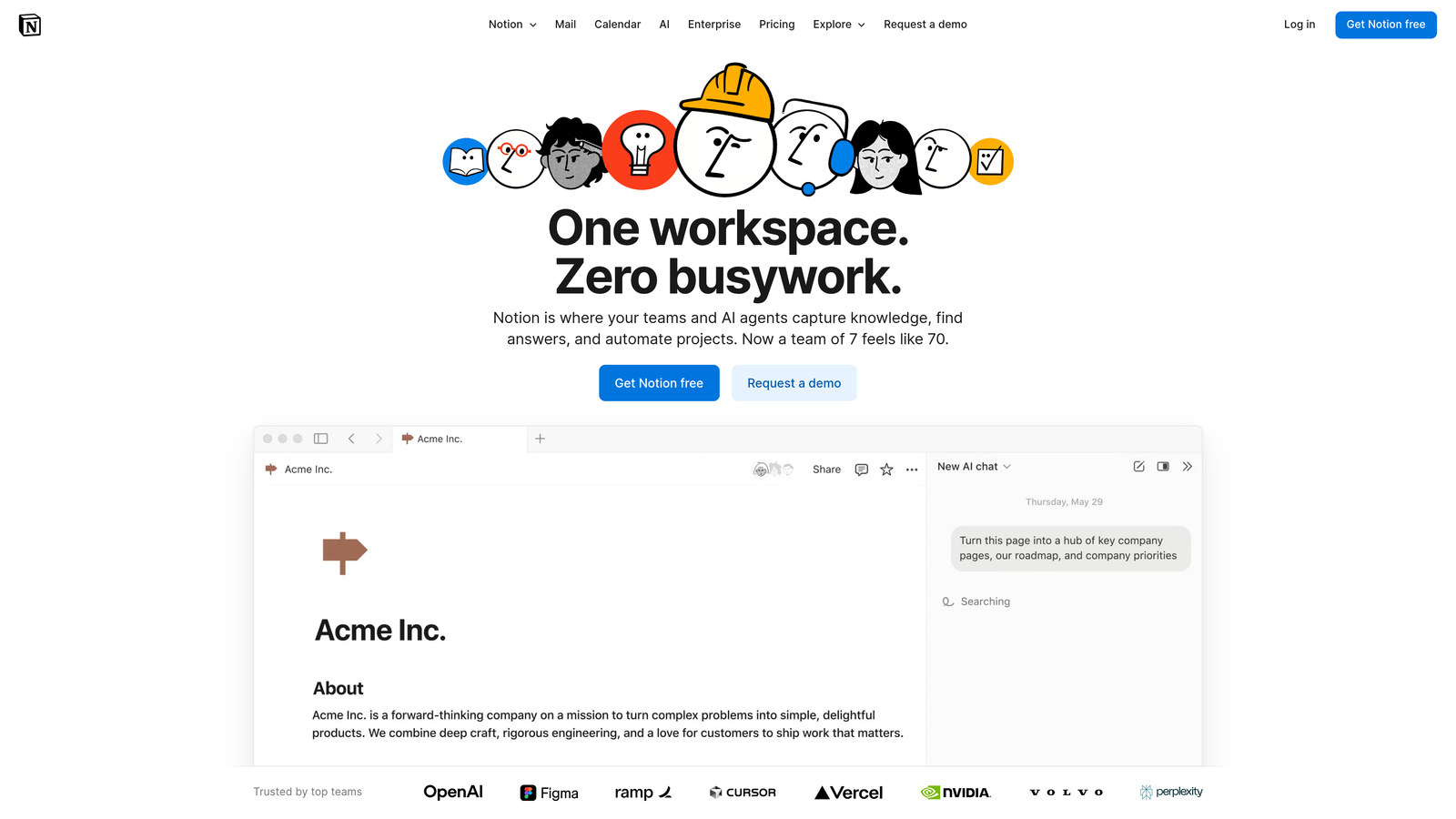
Notion transforms content workflow management by providing an infinitely adaptable workspace where teams build exactly the systems they need—from simple editorial calendars to sophisticated multi-stage production pipelines.
Where This Tool Shines
Notion's true power lies in its building-block approach to workflow design. Unlike rigid project management tools that force you into predetermined structures, Notion lets you construct workflows that mirror your team's actual processes. Teams can create interconnected databases that track content from initial idea through publication, with custom properties that capture exactly the information they need at each stage.
The platform excels at serving as a central knowledge hub where content guidelines, style documentation, and process workflows live alongside active projects. This eliminates the constant context-switching between reference materials and work-in-progress content that slows down many teams.
Notion's native automation is limited for cross-tool workflows, so many teams pair it with Make.com or Zapier. Marking a piece "Approved" in a Notion database can then trigger publishing to WordPress, social sharing, and a dashboard update without manual handoffs.
Key Features & Capabilities
Customizable Database Systems: Build content trackers with custom properties for status, assignees, deadlines, content type, and any other dimensions your workflow requires.
Real-Time Collaborative Editing: Multiple team members can work simultaneously in documents with inline comments and suggestions that keep feedback contextual.
Custom AI Agents: Deploy AI agents that generate content briefs, compile research, and handle routine status updates inside your workspace.
Template Library and Creation: Use pre-built templates for common content workflows or create custom templates that ensure consistency across all content projects.
Relational Database Connections: Link content pieces to related campaigns, keywords, or resources, creating a web of connected information that provides full context.
Multiple View Options: Switch between table, board, calendar, and gallery views to visualize your content pipeline in whatever format makes most sense for the task.
Integration Ecosystem and Enterprise Search: Connect with popular tools through native integrations, embed external content, and search across connected apps from a single interface.
Best For / Ideal Users
Notion works exceptionally well for content teams that have unique workflow requirements that off-the-shelf tools can't accommodate. It's particularly valuable for teams that manage diverse content types—blog posts, videos, social content, newsletters—and need a unified system that handles all formats.
The platform suits teams comfortable with some initial setup time in exchange for long-term flexibility. Organizations that value documentation and knowledge management alongside project tracking will find Notion's dual nature particularly useful.
Remote and distributed teams benefit from Notion's asynchronous collaboration features, where team members can contribute and review content on their own schedules while maintaining full visibility into project status.
Pricing
Notion provides a generous free tier that includes unlimited pages and blocks for individuals and small teams. Paid plans start at around $8 per user per month and add features like unlimited file uploads, version history, advanced permissions, and priority support that growing content teams typically need. AI capabilities are available as part of higher plans or as an add-on.
4. Asana
Best for: Content teams needing robust project management with clear accountability and deadline tracking across multiple concurrent projects.
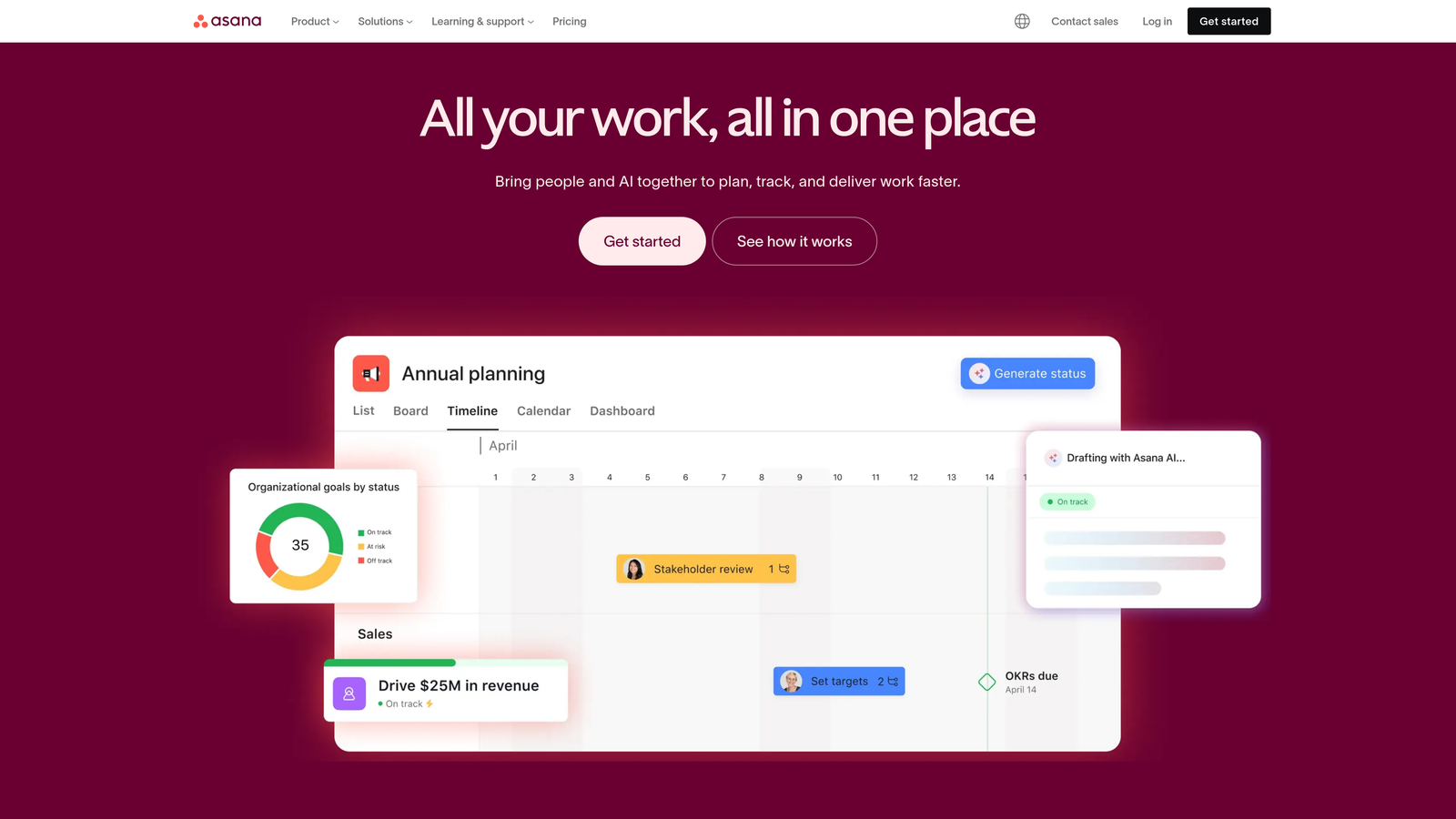
Asana transforms content workflow management through its powerful project coordination capabilities designed specifically for teams managing complex editorial calendars and multi-stakeholder approval processes.
Where This Tool Shines
Asana excels at breaking down ambitious content initiatives into trackable, manageable components. The platform provides multiple visualization options—list view for detailed task management, board view for stage-based workflows, and timeline view for understanding project dependencies. This flexibility means your content team can see their work in whatever format makes the most sense for their current needs.
The real power emerges when managing multiple content projects simultaneously. Asana's task dependency features ensure that nothing starts before prerequisites are complete, preventing the common problem of writers beginning work before briefs are finalized or designers creating assets before content direction is confirmed. The timeline view also surfaces collisions weeks in advance—such as three major pieces hitting editing in the same week—so you can rebalance before deadlines slip.
Key Features & Capabilities
Multiple Project Views: Switch between lists, boards, timelines, and calendars to visualize your content pipeline in the way that makes most sense for your current task.
Task Dependencies and Milestones: Link related tasks so team members know exactly what needs to happen before they can start their work, eliminating confusion about project sequencing.
Workload Management: See each team member's capacity and current assignments to prevent burnout and ensure realistic deadline setting across your content calendar.
Custom Fields: Track content-specific information like content type, target keyword, publication channel, or approval status without forcing your workflow into generic project management categories.
Workflow Automation and Project Templates: Set up rules that automatically assign tasks, update statuses, or send notifications, and replicate standardized workflows for blog posts, whitepapers, or video production.
Proofing and Integrations: Stakeholders leave feedback directly on tasks, while connections to Adobe Creative Cloud, Figma, WordPress, and Slack keep assets and conversations linked to the work.
Best For / Ideal Users
Asana works exceptionally well for content teams managing five or more concurrent projects with multiple contributors per project. The platform particularly benefits teams with complex approval chains—those requiring legal review, compliance checks, or multiple stakeholder sign-offs before publication.
Marketing departments coordinating content across multiple channels find Asana's cross-project visibility invaluable. You can see how blog posts, social campaigns, and email newsletters interconnect without losing track of individual deliverables.
Remote and distributed content teams appreciate Asana's clear accountability features. When everyone works in different time zones, having explicit task ownership and deadline visibility prevents the "I thought you were handling that" scenarios that derail content schedules.
Pricing
Asana provides a free tier supporting teams up to 15 members with unlimited tasks and projects. Premium plans start at $10.99 per user per month and add timeline view, custom fields, advanced search, and workflow automation; the Business tier adds advanced reporting—capabilities that become essential as content operations scale.
5. Monday.com
Best for: Visual project management with customizable workflows and intuitive status tracking
Monday.com transforms content workflow management through its distinctive visual approach that makes complex project coordination feel effortless and accessible to every team member.
Where This Tool Shines
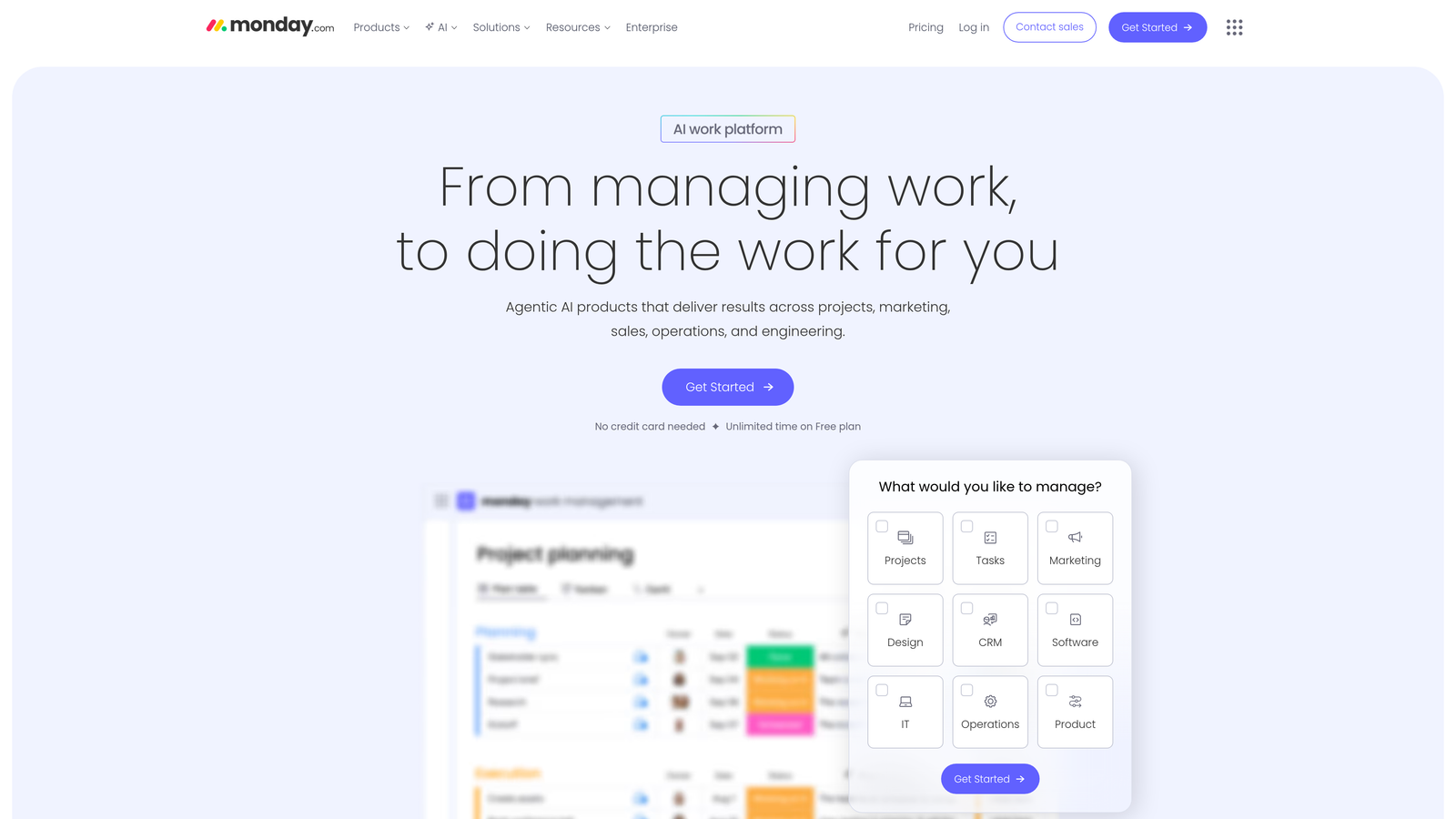
Monday.com stands out for its color-coded, highly visual interface that turns abstract project status into instantly understandable information. The platform excels at creating clarity across distributed teams—everyone can see exactly where each content piece sits in the production pipeline without digging through reports or scheduling status meetings.
The real power emerges in how Monday.com adapts to your team's unique content workflow rather than forcing you into predetermined structures. Teams can build boards that mirror their actual processes, whether that's a simple three-stage pipeline or a complex multi-channel content operation with branching approval paths. Pre-built automation recipes handle the handoffs: when an article moves to "Ready for Edit," it can be assigned to an editor, given a due date, and announced to stakeholders automatically.
Key Features & Capabilities
Customizable Visual Boards: Create boards with color-coded status columns that reflect your actual workflow stages, making project status visible at a glance.
Workflow Automation: Set up automated notifications, task assignments, and status updates that eliminate manual coordination work.
Content Request Forms: Build intake forms that create new content items with all required details and assignments, standardizing how requests enter the pipeline.
Time Tracking Integration: Monitor how long content pieces spend in each workflow stage to identify bottlenecks, optimize processes, and bill clients accurately.
Extensive Integration Marketplace: Connect with hundreds of content creation, design, and publishing tools—including WordPress—to create a unified workflow ecosystem.
Client Dashboards and Analytics: Share read-only progress views with clients and generate visual reports on team productivity, project timelines, and workflow efficiency.
Best For / Ideal Users
Monday.com works exceptionally well for content teams and creative agencies managing multiple concurrent projects with varying complexity levels. The visual nature makes it particularly valuable for teams that include members with different technical comfort levels—designers, writers, and marketers can all navigate the platform intuitively.
The platform shines brightest for teams that need extensive customization without requiring technical expertise. If your content workflow has unique stages or approval processes that don't fit standard templates, Monday.com's flexibility lets you build exactly what you need.
Pricing
Monday.com offers a free tier for up to two users, making it accessible for small teams to test the platform. Paid plans start at around $8 per seat per month on Basic, with Standard and Pro tiers unlocking the time tracking, automation, and integration features most content teams require.
6. Trello
Best for: Simple, card-based content workflow management with instant visual clarity
Trello brings Kanban-style simplicity to content workflow management, making it incredibly easy for teams to visualize their content pipeline without overwhelming complexity.
Where This Tool Shines
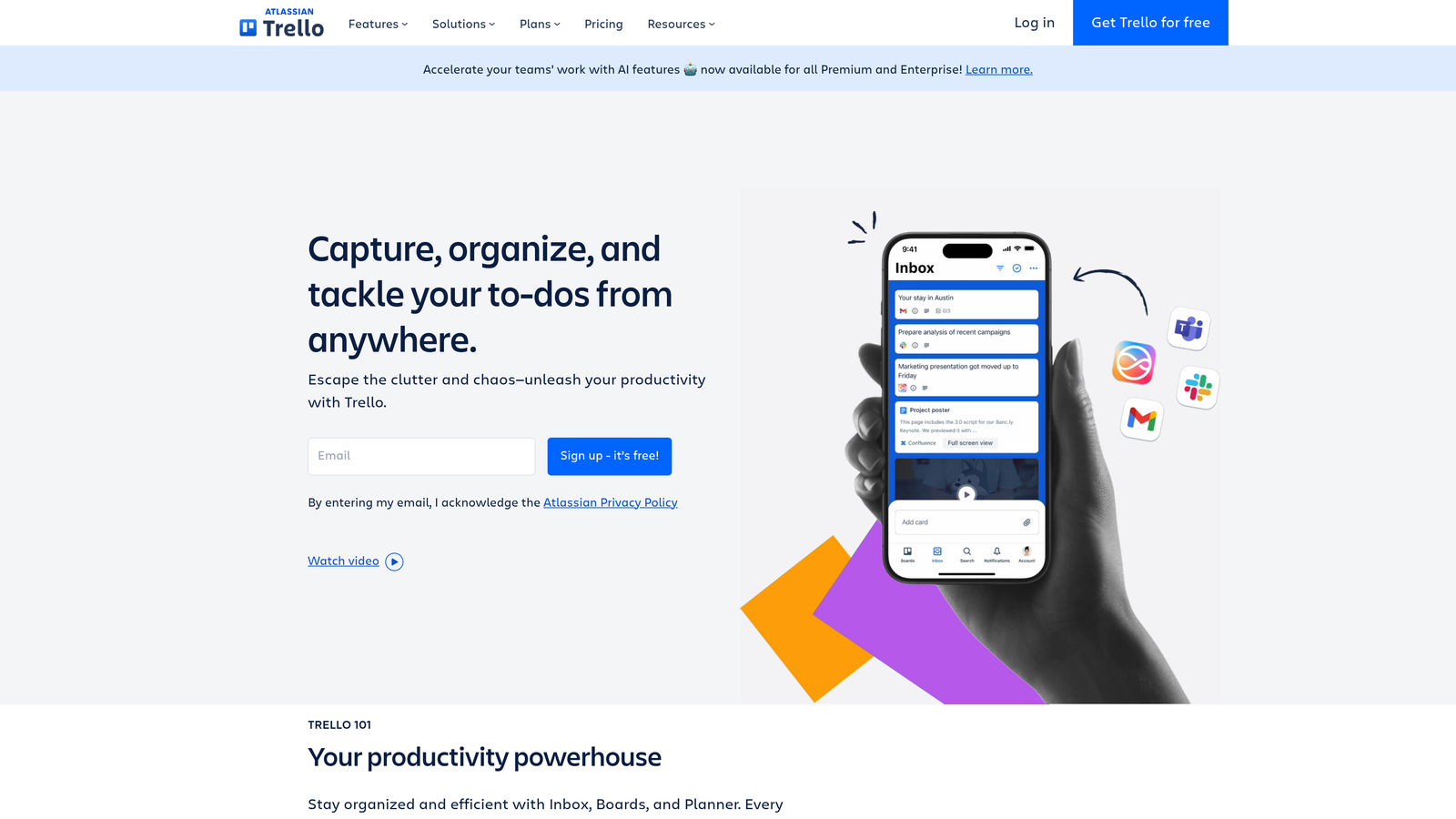
Trello's card-based system transforms abstract content projects into tangible, movable objects that anyone can understand immediately. Each content piece becomes a card that travels across your board—from "Ideas" to "In Progress" to "Review" to "Published"—creating an instantly scannable view of your entire content operation.
The platform excels at eliminating the "where is this content?" question that plagues many teams. Writers, editors, and stakeholders can see exactly what stage each piece occupies without sending status emails or scheduling check-in meetings. This transparency alone saves teams significant coordination time.
Key Features & Capabilities
Drag-and-Drop Kanban Boards: Move content cards between columns with simple gestures, making workflow updates feel natural and immediate.
Card-Based Organization: Each content piece gets its own card with checklists, attachments, due dates, and labels for comprehensive tracking.
Butler Automation: No-code rules move cards when deadlines approach, assign members by content type, and create recurring cards for weekly posts.
Team Collaboration Tools: Comment directly on cards, mention team members, and attach files to keep all content-related discussions in one place.
Power-Ups for Extended Functionality: Add calendar views, custom fields, and integrations with tools like Google Drive and Slack.
Template Gallery: Start with pre-built editorial calendar templates, content production workflows, or campaign planning boards.
Mobile Accessibility: Manage your content workflow from anywhere with full-featured iOS and Android apps.
Practical Implementation Approach
Teams typically set up Trello boards with columns representing their content stages: "Content Ideas," "Brief Created," "Writing," "Editing," "Awaiting Approval," "Scheduled," and "Published." Each column becomes a clear status indicator.
The checklist feature within cards works particularly well for content workflows. Create a standard checklist template that includes steps like "Research keywords," "Write first draft," "Add images," "SEO optimization," and "Final proofread." Team members check off items as they complete them, providing granular progress visibility.
Labels add another layer of organization. Use color-coded labels to indicate content type (blog post, social media, email), priority level, or target publication date. This visual coding helps teams quickly identify urgent content or specific content categories.
Best For / Ideal Users
Trello works exceptionally well for small to medium content teams (2-15 people) who want visual workflow management without complex features. It's perfect for teams new to workflow tools, as the learning curve is minimal—most people understand the system within minutes.
Freelance content creators and solopreneurs also benefit from Trello's simplicity. Managing multiple client projects becomes straightforward when each client gets their own board, or when different content types occupy separate boards.
Marketing teams that value speed and flexibility over detailed analytics find Trello's approach refreshing. The platform gets out of your way and lets you focus on creating content rather than managing the tool itself.
Pricing
Trello offers a robust free tier that includes unlimited personal boards, cards, and lists—sufficient for many small teams. The Standard plan, at around $5 per user per month, adds unlimited Power-Ups and advanced checklists, while Premium (around $10 per user per month) includes calendar view, custom fields, and expanded automation.
7. Airtable
Best for: Teams managing complex content libraries with sophisticated tracking needs and interconnected data relationships
Airtable transforms content workflow management by combining database power with spreadsheet simplicity, creating a flexible platform that handles everything from editorial calendars to comprehensive asset libraries.
Where This Tool Shines
Airtable excels when your content operation requires tracking multiple data points across interconnected projects. The platform becomes invaluable when you're managing content that spans different formats, channels, and campaigns—all requiring different metadata, approval stages, and performance metrics.
The real power emerges in how Airtable handles relationships between content elements. Link blog posts to their source interviews, connect social media campaigns to their parent content pieces, or track how different content assets support specific marketing initiatives. This relational capability eliminates the scattered spreadsheet chaos that plagues many content teams and makes Airtable a practical hub for overseeing an entire content supply chain.
Key Features & Capabilities
Flexible Database Views: Switch between grid, calendar, gallery, timeline, and kanban views of the same data, letting different team members work in their preferred format.
Rich Field Types: Track everything from simple text to file attachments, collaborator assignments, checkboxes, and dropdown selections in a single record.
Linked Records: Connect related content pieces across different tables, creating a web of relationships that shows how your content ecosystem fits together.
Automation Workflows and Scripting: Set up triggers that update records, notify editors, or create publishing tasks when conditions are met, and use JavaScript for scenarios beyond standard triggers.
Form Builder: Create custom forms for content requests, writer submissions, or stakeholder feedback that automatically populate your database—useful for intake from freelancers and outside contributors.
Best For / Ideal Users
Airtable works best for content teams managing large-scale operations with complex taxonomies. If you're tracking dozens of content attributes—publication status, content type, target audience, SEO keywords, performance metrics, and more—Airtable's database structure handles this complexity elegantly.
The platform particularly benefits teams that need to report on content from multiple angles. Marketing directors can view content by campaign, editors can organize by publication date, and SEO specialists can filter by keyword strategy—all working from the same underlying data.
Content agencies managing multiple clients find Airtable invaluable for maintaining separate but connected databases for each client while maintaining oversight across all accounts.
Pricing
Airtable offers a free tier supporting unlimited bases with 1,200 records per base. Paid per-seat plans add increased record limits, advanced features like automations and sync integrations, extended record history, and enhanced collaboration capabilities for growing teams.
8. ClickUp
Best for: All-in-one productivity platform combining project management, document creation, and AI-powered automation
ClickUp positions itself as the platform that replaces fragmented software by combining apps, AI agents, and human collaboration in a single workspace designed to maximize productivity.
Where This Tool Shines
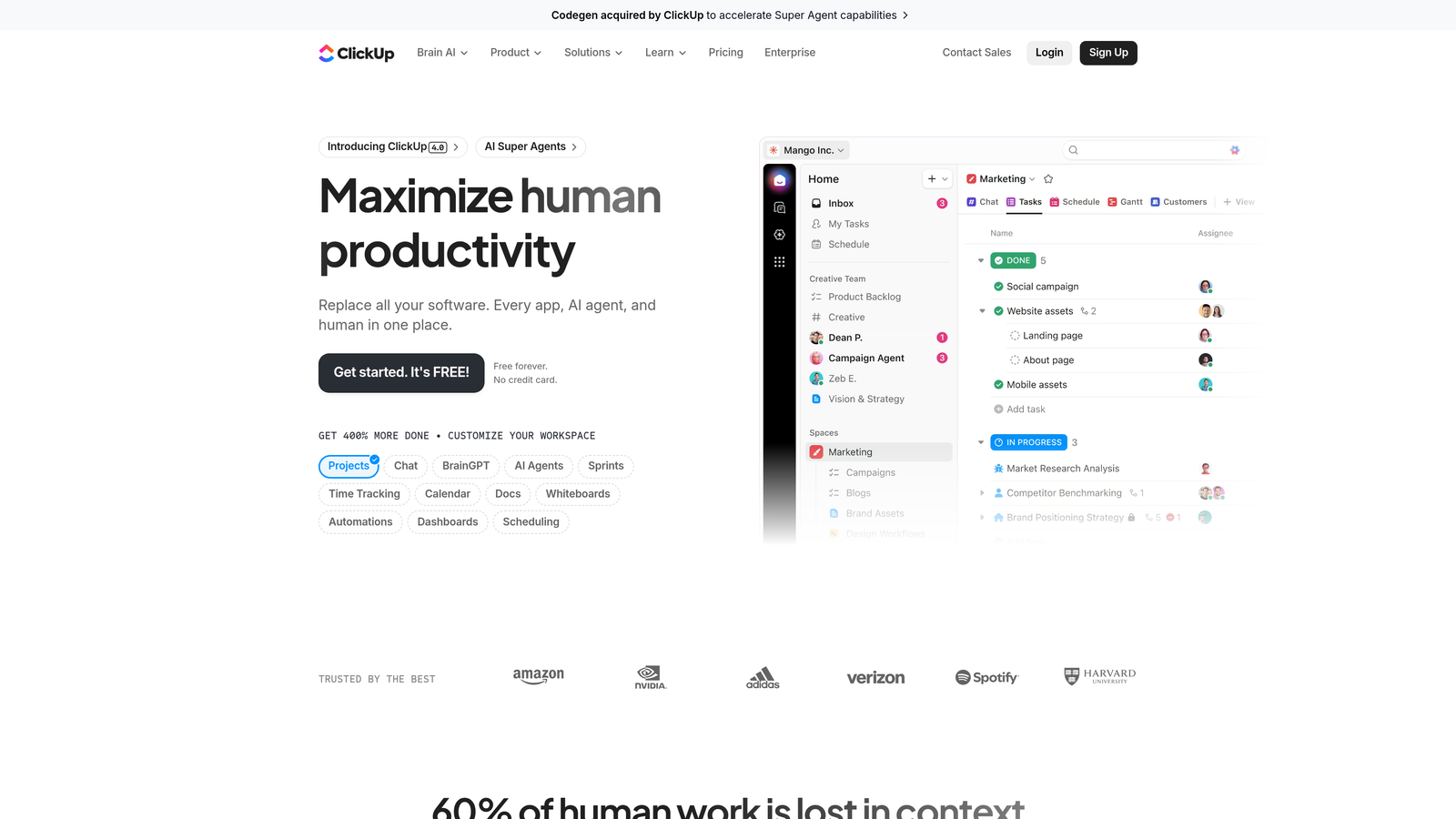
ClickUp distinguishes itself by addressing a critical problem: teams waste significant productivity through context switching between multiple tools. The platform eliminates this friction by providing everything content teams need in one place—from initial project planning to final content creation and publication tracking.
The platform's AI Brain feature represents a significant advancement in workflow automation. Rather than simple task automation, ClickUp deploys specialized AI agents that handle specific workflow functions: Intake agents process content requests, Assign agents distribute work based on team capacity, PM agents track deliverables, and Content agents assist with actual writing and optimization.
Key Features & Capabilities
Projects Module: Manages complex content initiatives at scale with customizable views including lists, boards, Gantt charts, and calendars for different planning perspectives.
Docs Integration: Built-in document editor with AI assistance allows teams to create, edit, and collaborate on content without switching to external writing tools.
AI Agents System: Multiple specialized agents automate workflow stages—from project kickoff and task assignment to content creation and brand guideline enforcement.
Chat Functionality: Integrated team communication eliminates the need for separate messaging platforms, keeping all content discussions contextually linked to projects.
Live Answers Intelligence: AI-powered system that provides instant answers to team questions by analyzing your workspace data and documentation.
Best For / Ideal Users
ClickUp excels for content teams drowning in tool sprawl who want to consolidate their tech stack. It's particularly valuable for teams managing multiple content types simultaneously—blog posts, social media, video scripts, email campaigns—where having everything in one platform prevents information silos.
The platform works especially well for teams ready to embrace AI automation but who want to maintain human oversight. The specialized AI agents handle routine decisions while humans focus on strategy and creative direction.
Pricing
ClickUp offers a generous free tier that includes unlimited tasks and members, making it accessible for small teams. Paid plans add advanced features like unlimited storage, custom fields, advanced automation, and enhanced AI capabilities, with pricing scaled to team size and feature requirements.
Specialized Tools to Pair With Your Workflow Platform
Most mature content operations run one core workflow platform plus a few specialists. These are the categories worth considering once your pipeline is in place. If automating the pipeline itself—from brief to published post—is your main goal, our comparison of content pipeline automation software goes deeper on that layer.
AI Writing and Brand Governance
- Jasper: Trains on your existing content to enforce brand voice across large teams, with campaign-level workflows, approvals, and a Chrome extension.
- Writer: Built for regulated industries (healthcare, finance, legal), with terminology management, banned-phrase rules, compliance workflows, and audit trails. Team plans start at $18 per user per month.
- Copy.ai: Chains multi-step go-to-market workflows—product launches, outbound email sequences, social campaigns—drawing on a central knowledge repository. Free tier available; Pro starts at $49 per month.
SEO Research and Optimization
- Surfer SEO: Scores drafts in real time against top-ranking pages, with SERP analysis, keyword clustering, content audits for refreshing older articles, and Google Docs and WordPress extensions. Plans start at $89 per month.
- Frase: Generates research-backed briefs from top search results and includes answer engine optimization features for featured snippets and AI-generated answers. Solo plans start at $15 per month.
Freelancer and Contributor Management
- Narrato: Combines AI briefs, approval workflows, an editorial calendar, a content repository, and freelancer marketplace access, so you can brief, assign, review, and pay external writers in one place. Pro starts at $36 per month for four users.
Headless CMS and Asset Management
- Contentful: Treats content as structured data with custom content models, REST and GraphQL APIs, multi-environment staging, localization, and approval workflows—the right fit for publishers and enterprises delivering to websites, apps, and other channels from one source. A free tier exists; team plans run several hundred dollars per month.
- HubSpot Content Hub: Ties content directly to CRM data for lead and revenue attribution, with content remix for repurposing across channels. Most valuable for teams already on HubSpot.
Integration and Distribution
- Zapier and Make.com: No-code integration layers that connect your workflow tool to your CMS, Slack, calendars, and analytics—for example, creating a Google Doc and notifying the writer when a brief is approved. Zapier's paid plans start at $19.99 per month; Make.com starts at $9 per month.
- StoryChief: Publishes a single piece to your blog, LinkedIn, Medium, and other channels in one click, with SEO scoring and cross-channel analytics.
- Hootsuite: Bulk social scheduling, approval workflows, and social listening for teams publishing heavily across networks.
- ContentBot: Low-cost autopilot blog generation with direct WordPress publishing, suited to solo operators prioritizing volume over editorial control.
For a broader look at tools that handle scheduling and CMS delivery, see our roundup of content publishing automation tools.
Making the Right Choice
Selecting the right content workflow tool comes down to matching capabilities with your team's specific needs and content complexity. Each platform on this list solves different workflow challenges, and understanding these distinctions helps you avoid investing in features you won't use or missing capabilities you desperately need.
For teams prioritizing AI-powered automation and SEO optimization, Sight AI delivers end-to-end content generation with minimal manual intervention. If visual project management is your priority, Monday.com and Asana provide robust coordination features for complex multi-stakeholder workflows. Teams wanting maximum flexibility should explore Notion or Airtable, which adapt to virtually any content process you can design.
Budget-conscious teams can start with the generous free tiers offered by Trello, Notion, or ClickUp, then scale up as content operations expand. The key is choosing a platform your team will actually adopt—the most feature-rich tool becomes worthless if it sits unused because of complexity or poor user experience.
A practical selection process looks like this:
- Map your current process. Document every stage from request to publication and note where pieces stall.
- Identify the costliest manual step. Is it drafting, handoffs between team members, approvals, or publishing and distribution? Automate that first rather than everything at once.
- Check integrations. Confirm the tool connects to your CMS, communication tools, and analytics, or can via Zapier or Make.com.
- Plan for multiple clients or brands. Agencies and SEO teams managing several client sites should prioritize client separation—CoSchedule's Agency Calendar, Monday.com client dashboards, separate Airtable bases, or per-client publishing in Sight AI.
- Trial with real work. Run one live content cycle in the tool before committing, then add specialized tools as needs evolve.
Consider your current pain points: Are approval bottlenecks slowing you down? Do you struggle with content calendar visibility? Is maintaining brand consistency across multiple writers challenging? The tool that directly addresses your biggest friction point will deliver the most immediate value.
Frequently asked questions
What is the best solution for end-to-end content workflow management?
For most teams it is a two-part stack: a coordination platform such as Asana, Monday.com, or ClickUp for planning, assignments, and approvals, plus an AI content platform like Sight AI that covers keyword research, drafting, CMS publishing, and indexing. See the five workflow layers and the quick comparison table above to decide which parts you need covered first.
What features should I look for in a content workflow platform?
Prioritize five things: a customizable status pipeline that mirrors your real stages, task dependencies and due dates for deadline-based reviews, approval routing with comments attached to the work, native or Zapier/Make.com integrations with your CMS and Slack, and reporting on time spent per stage. Agencies should add client separation. AI drafting and auto-publishing matter most when production volume, not coordination, is the bottleneck.
Which tools work best for managing freelance and contributor workflows?
Narrato is purpose-built for briefing, assigning, reviewing, and paying freelancers in one place. Airtable forms and Monday.com intake forms standardize submissions from outside contributors so every draft arrives with the same metadata, while Trello's board-per-client setup keeps freelance work simple and visible. Pair any of these with a shared style guide in Notion to keep external writers consistent.
Which CMS supports editorial workflows and asset management?
Headless platforms like Contentful offer structured content models, staging environments, approval workflows, and localization, which suits publishers delivering the same content to websites, apps, and other channels. Teams already on HubSpot can keep editorial work, assets, and CRM attribution together in Content Hub. Smaller teams on WordPress usually add workflow through Asana or Monday.com integrations rather than switching CMS.
What are good content workflow automation options for mid-market teams?
Mid-market teams typically get the best return from Asana or Monday.com for coordination, Zapier or Make.com for connecting tools, and an AI content platform for production and publishing. This keeps per-seat costs predictable while removing the manual handoffs—assigning editors, chasing approvals, copying drafts into the CMS—that slow growing teams down. Start by automating the single step that stalls most often.
The content landscape continues evolving toward AI-assisted creation and multi-channel distribution. Whether you're ready to embrace full automation or prefer traditional project management approaches, the right workflow tool transforms content chaos into predictable, scalable operations. Start tracking your AI visibility today and discover how modern content tools can accelerate your content engine while maintaining the quality standards your audience expects.